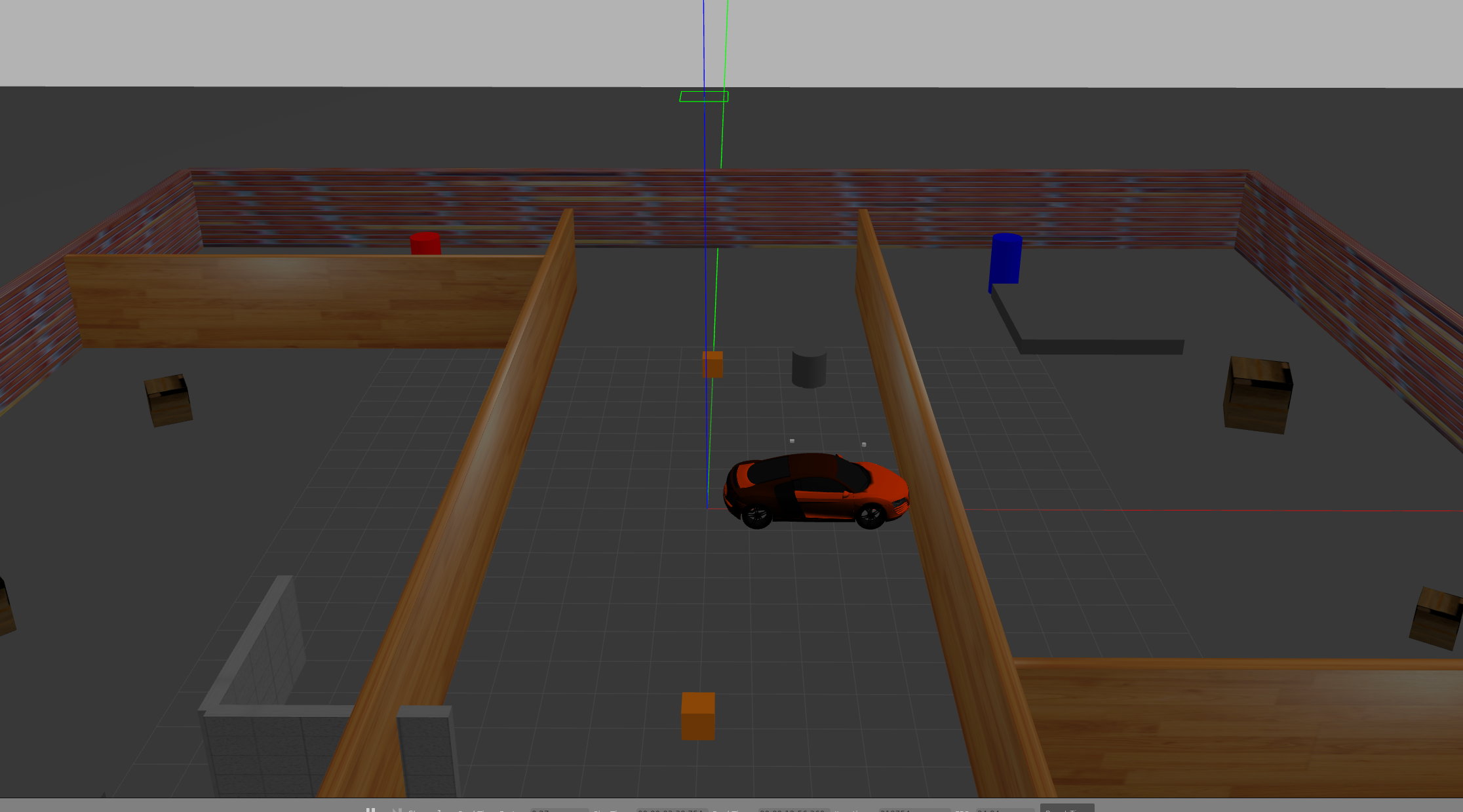
3.第二阶段 LIO-SAM 适配
LIO-SAM环境搭建
GTSAM 编译
cd ~
mkdir -p carplaning/3rdparty
git clone https://github.com/borglab/gtsam.git
cd gtsam
mkdir build && cd build
cmake -DGTSAM_BUILD_WITH_MARCH_NATIVE=OFF ..
make -j$(nproc)
sudo make install
LIO-SAM 编译
cd ~/carplaning/liosam_ws/src

sudo apt-get install ros-humble-perception-pcl \
                     ros-humble-pcl-msgs \
                     ros-humble-vision-opencv \
                     ros-humble-xacro \
                     ros-humble-geographic-msgs


git clone -b ros2 https://github.com/TixiaoShan/LIO-SAM.git

#新版本的GTSAM 全面转向了 C++ 标准库的 std::shared_ptr,所以需要修改一下源码进行适配
cd ~/carplaning/liosam_ws/src/LIO-SAM/src/ sed -i 's/boost::shared_ptr/std::shared_ptr/g' imuPreintegration.cpp

#编译lio-sam
colcon build --symlink-install --packages-select lio_sam

#这里遇到编译报错就询问ai进行解决,直到编译成功
LIO-SAM 测试
#运行一键脚本,界面如下图
ros2 launch lio_sam run.launch.py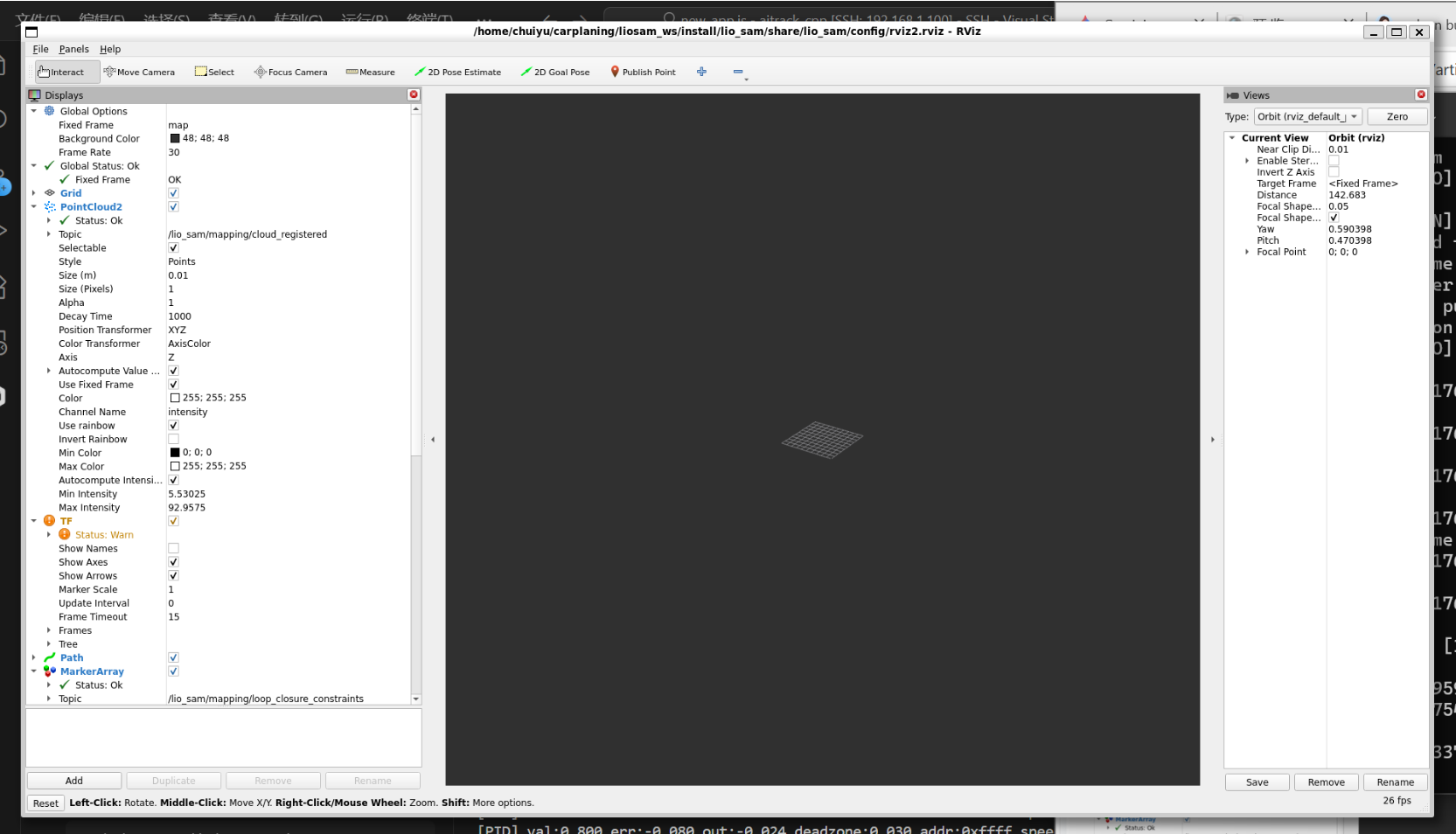
LIO-SAM 仿真测试
(1)下载数据集 github的README中有下载链接,下载walking dataset数据集 (2)转换格式 下载的数据集是ROS1的.bag格式,需要进行转换,执行如下命令 rosbags-convert --src [ROS1格式数据集文件] --dst [ROS2格式数据集路径]
因为不同的数据集的话题可能会与默认的topic不同,这里根据数据集的话题进行修改。 (1)修改params.yaml文件 ```yaml /**: ros__parameters:
# # Topics
# pointCloudTopic: "/points_raw"                   # Point cloud data
# imuTopic: "/imu_correct"                        # IMU data
# odomTopic: "/gx5/nav/odom"                    # IMU pre-preintegration odometry, same frequency as IMU
# gpsTopic: "/gx5/gps/fix"                    # GPS odometry topic from navsat, see module_navsat.launch file

# # Frames
# lidarFrame: "velodyne"
# baselinkFrame: "base_link"
# odometryFrame: "wgs84_odom_link"
# mapFrame: "map"

# Topics
pointCloudTopic: "points_raw"               # Point cloud data
imuTopic: "imu_raw"                         # IMU data
odomTopic: "odometry/imu"                   # IMU pre-preintegration odometry, same frequency as IMU
gpsTopic: "odometry/gpsz"                   # GPS odometry topic from navsat, see module_navsat.launch file

# Frames
lidarFrame: ""velodyne"
baselinkFrame: "base_link"
odometryFrame: "odom"
mapFrame: "map"
# GPS Settings
useImuHeadingInitialization: false           # if using GPS data, set to "true"
useGpsElevation: false                       # if GPS elevation is bad, set to "false"
gpsCovThreshold: 2.0                         # m^2, threshold for using GPS data
poseCovThreshold: 25.0                       # m^2, threshold for using GPS data
# Export settings
savePCD: true                               # https://github.com/TixiaoShan/LIO-SAM/issues/3
savePCDDirectory: "/workspace/CAR/LIO-SAM_ws/pcd"         # in your home folder, starts and ends with "/". Warning: the code deletes "LOAM" folder then recreates it. See "mapOptimization" for implementation
# Sensor Settings
sensor: velodyne                               # lidar sensor type, either 'velodyne', 'ouster' or 'livox'
N_SCAN: 16                                   # number of lidar channels (i.e., Velodyne/Ouster: 16, 32, 64, 128, Livox Horizon: 6)
Horizon_SCAN: 1800                            # lidar horizontal resolution (Velodyne:1800, Ouster:512,1024,2048, Livox Horizon: 4000)
downsampleRate: 1                            # default: 1. Downsample your data if too many
# points. i.e., 16 = 64 / 4, 16 = 16 / 1
lidarMinRange: 1.0                           # default: 1.0, minimum lidar range to be used
lidarMaxRange: 1000.0                        # default: 1000.0, maximum lidar range to be used
# IMU Settings
imuAccNoise: 3.9939570888238808e-03
imuGyrNoise: 1.5636343949698187e-03
imuAccBiasN: 6.4356659353532566e-05
imuGyrBiasN: 3.5640318696367613e-05
imuGravity: 9.80511
imuRPYWeight: 0.01
extrinsicTrans:  [ 0.0,  0.0,  0.0 ]
extrinsicRot:    [-1.0,  0.0,  0.0,
                   0.0,  1.0,  0.0,
                   0.0,  0.0, -1.0 ]
# extrinsicRPY: [ 0.0,  1.0,  0.0,
#                -1.0,  0.0,  0.0,
#                 0.0,  0.0,  1.0 ]
extrinsicRPY: [ 0.0,  -1.0,  0.0,
               1.0,  0.0,  0.0,
                0.0,  0.0,  1.0 ]
# LOAM feature threshold
edgeThreshold: 1.0
surfThreshold: 0.1
edgeFeatureMinValidNum: 10
surfFeatureMinValidNum: 100
# voxel filter paprams
odometrySurfLeafSize: 0.4                     # default: 0.4 - outdoor, 0.2 - indoor
mappingCornerLeafSize: 0.2                    # default: 0.2 - outdoor, 0.1 - indoor
mappingSurfLeafSize: 0.4                      # default: 0.4 - outdoor, 0.2 - indoor
# robot motion constraint (in case you are using a 2D robot)
z_tollerance: 1000.0                          # meters
rotation_tollerance: 1000.0                   # radians
# CPU Params
numberOfCores: 4                              # number of cores for mapping optimization
mappingProcessInterval: 0.15                  # seconds, regulate mapping frequency
# Surrounding map
surroundingkeyframeAddingDistThreshold: 1.0   # meters, regulate keyframe adding threshold
surroundingkeyframeAddingAngleThreshold: 0.2  # radians, regulate keyframe adding threshold
surroundingKeyframeDensity: 2.0               # meters, downsample surrounding keyframe poses
surroundingKeyframeSearchRadius: 50.0         # meters, within n meters scan-to-map optimization
# (when loop closure disabled)
# Loop closure
loopClosureEnableFlag: true
loopClosureFrequency: 1.0                     # Hz, regulate loop closure constraint add frequency
surroundingKeyframeSize: 50                   # submap size (when loop closure enabled)
historyKeyframeSearchRadius: 15.0             # meters, key frame that is within n meters from
# current pose will be considerd for loop closure
historyKeyframeSearchTimeDiff: 30.0           # seconds, key frame that is n seconds older will be
# considered for loop closure
historyKeyframeSearchNum: 25                  # number of hostory key frames will be fused into a
# submap for loop closure
historyKeyframeFitnessScore: 0.3              # icp threshold, the smaller the better alignment
# Visualization
globalMapVisualizationSearchRadius: 1000.0    # meters, global map visualization radius
globalMapVisualizationPoseDensity: 10.0       # meters, global map visualization keyframe density
globalMapVisualizationLeafSize: 1.0           # meters, global map visualization cloud density
```
source install/setup.bash
ros2 launch lio_sam run.launch.pyros2 bag play [三中准备的ROS2的数据集文件夹路径]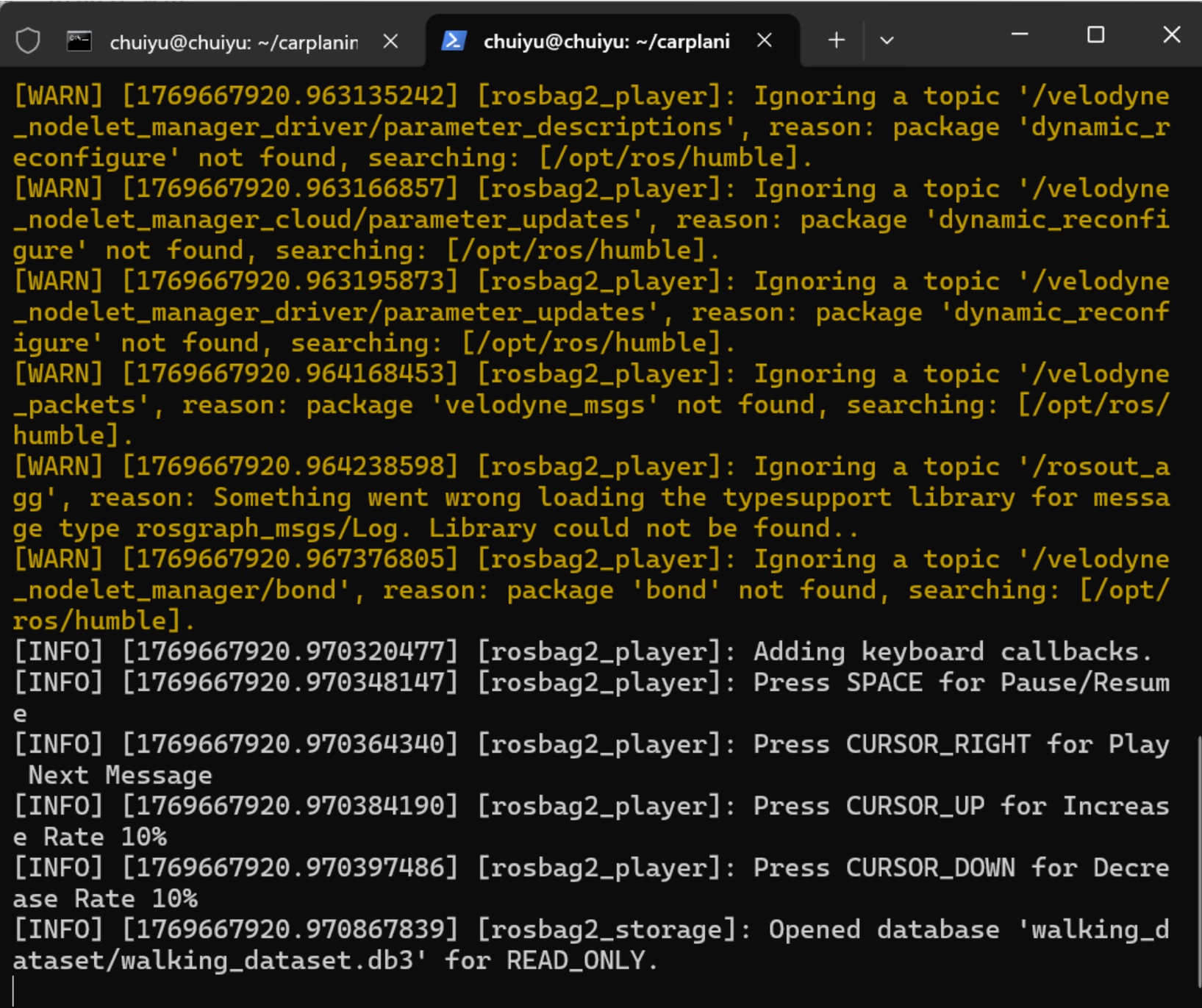
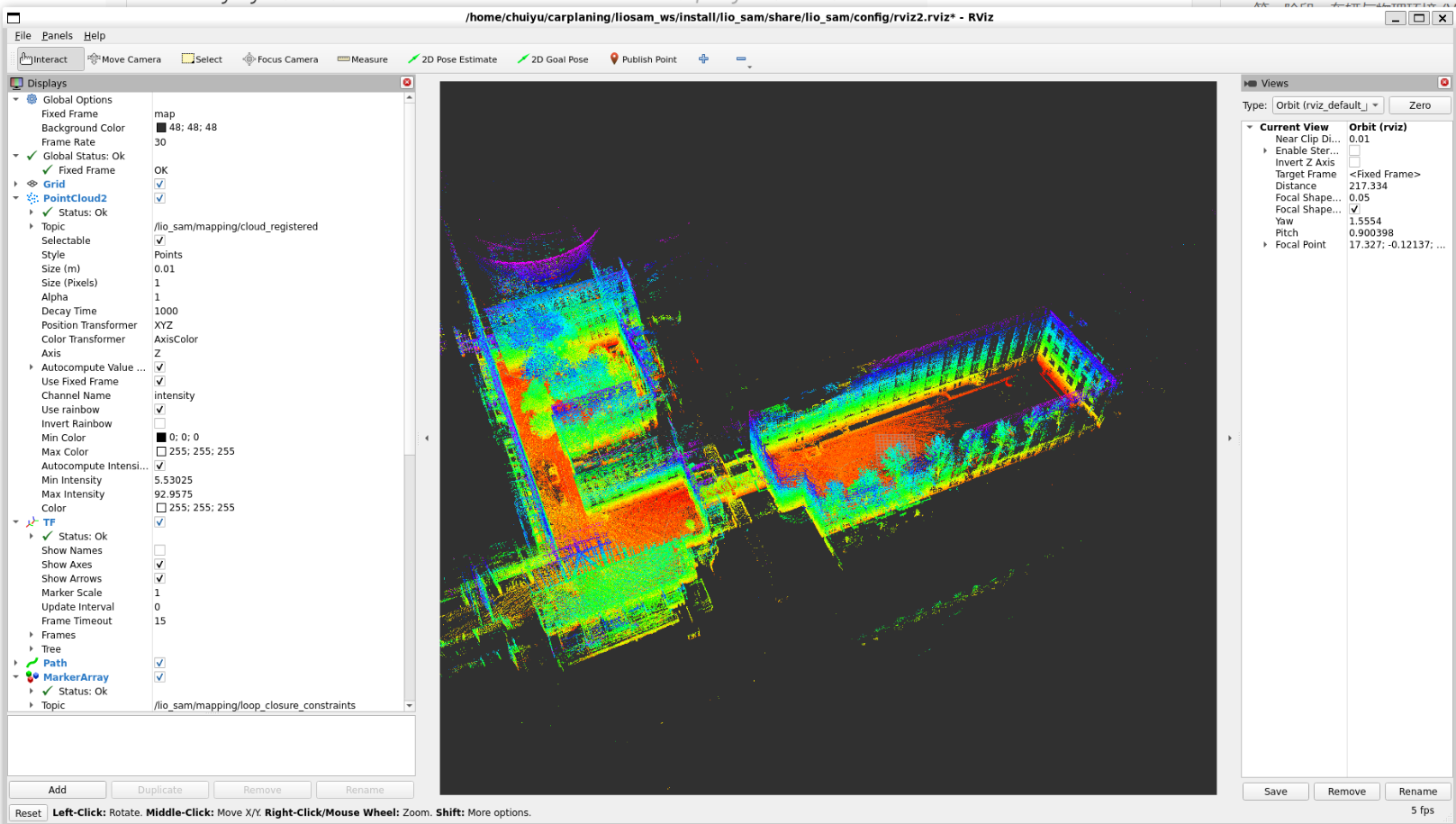
配置 IMU 外参(extrinsicRot / extrinsicTrans)
这是让 LIO-SAM 跑通你自定义仿真车的关键。你的 URDF 里 IMU 挂在 base_link 原点(origin xyz="0 0 0"),LiDAR 挂在 xyz="1.2 0 1.4" 的位置。这个相对关系需要准确填进 params.yaml,否则点云拼接会漂移。
具体要做的事是:
- 确认外参数值 —— 从你的 URDF 直接读出来,LiDAR 相对 IMU 的平移是
[1.2, 0, 1.4],旋转是单位阵(两者姿态一致,都没有旋转偏移)。 - 修改 params.yaml —— 把
extrinsicTrans和extrinsicRot填对。 - 对齐话题名 —— 你的仿真输出是
/points_raw和/imu_raw,需要确认params.yaml里的话题配置与之匹配。 - 跑一圈验证 —— 开车绕场地走一圈,在 Rviz 里看点云地图有没有重影或漂移,以此判断外参是否正确。
code ~/carplaning/liosam_ws/src/LIO-SAM/config/params.yaml第一处:话题名对齐
你的仿真输出话题是 /points_raw 和 /imu_raw,所以:
yaml
pointCloudTopic: "points_raw"
imuTopic: "imu_raw"
gpsTopic: "gps/fix"
第二处:雷达参数对齐
你在 URDF 里配的是 32线、水平1800采样:
yaml
sensor: velodyne
N_SCAN: 32
Horizon_SCAN: 1800
第三处:外参(最关键)
从你的 URDF 直接读出来:
- IMU 在
base_link原点:xyz="0 0 0" - LiDAR 在:
xyz="1.2 0 1.4",没有旋转偏移
所以 LiDAR 相对于 IMU 的平移就是 [1.2, 0.0, 1.4],旋转是单位矩阵:
yaml
extrinsicTrans: [1.2, 0.0, 1.4]

extrinsicRot: [1.0, 0.0, 0.0,
               0.0, 1.0, 0.0,
               0.0, 0.0, 1.0]

extrinsicRPY: [1.0, 0.0, 0.0,
               0.0, 1.0, 0.0,
               0.0, 0.0, 1.0]
第四处:坐标帧名
yaml
lidarFrame: "lidar_link"
baselinkFrame: "base_link"
odometryFrame: "odom"
mapFrame: "map"
第五处:开启 GPS
yaml
useImuHeadingInitialization: true
useGpsElevation: false
gpsCovThreshold: 2.0
poseCovThreshold: 25.0
修改完之后,先同时启动仿真和 LIO-SAM,然后用键盘控制车慢慢开一圈,在 Rviz 里观察 /lio_sam/mapping/cloud_registered 这个话题,点云地图应该是清晰无重影的。如果出现漂移,基本就是外参没对上,到时候再排查。
修改完后的完整params.yaml:
/**:

  ros__parameters:


    use_sim_time: true


    # Topics

    pointCloudTopic: "/points"                   # Point cloud data

    imuTopic: "/imu/data"                        # IMU data

    odomTopic: "odometry/imu"                    # IMU pre-preintegration odometry, same frequency as IMU

    gpsTopic: "odometry/gpsz"                    # GPS odometry topic from navsat, see module_navsat.launch file


    # Frames

    lidarFrame: "lidar_link"

    baselinkFrame: "base_link"

    odometryFrame: "odom"

    mapFrame: "map"


    # GPS Settings

    useImuHeadingInitialization: false           # if using GPS data, set to "true"

    useGpsElevation: false                       # if GPS elevation is bad, set to "false"

    gpsCovThreshold: 2.0                         # m^2, threshold for using GPS data

    poseCovThreshold: 25.0                       # m^2, threshold for using GPS data


    # Export settings

    savePCD: true                                # https://github.com/TixiaoShan/LIO-SAM/issues/3

    savePCDDirectory: "/LIO-SAM/src/maps/"         # in your home folder, starts and ends with "/". Warning: the code deletes "LOAM" folder then recreates it. See "mapOptimization" for implementation


    # Sensor Settings

    sensor: velodyne                             # lidar sensor type, either 'velodyne', 'ouster' or 'livox'

    N_SCAN: 64                                   # number of lidar channels (i.e., Velodyne/Ouster: 16, 32, 64, 128, Livox Horizon: 6)

    Horizon_SCAN: 1800                           # lidar horizontal resolution (Velodyne:1800, Ouster:512,1024,2048, Livox Horizon: 4000)

    downsampleRate: 1                            # default: 1. Downsample your data if too many

    # points. i.e., 16 = 64 / 4, 16 = 16 / 1

    lidarMinRange: 1.0                           # default: 1.0, minimum lidar range to be used

    lidarMaxRange: 1000.0                        # default: 1000.0, maximum lidar range to be used


    # IMU Settings

    imuAccNoise: 3.9939570888238808e-03

    imuGyrNoise: 1.5636343949698187e-03

    imuAccBiasN: 6.4356659353532566e-05

    imuGyrBiasN: 3.5640318696367613e-05


    imuGravity: 9.80511

    imuRPYWeight: 0.01


    extrinsicTrans:  [ 0.0,  0.0,  0.0 ]

    extrinsicRot:    [ 1.0,  0.0,  0.0,

                       0.0,  -1.0,  0.0,

                       0.0,  0.0, -1.0 ]

    extrinsicRPY: [ 1.0,  0.0,  0.0,

                    0.0,  -1.0,  0.0,

                    0.0,  0.0,  -1.0 ]


    # LOAM feature threshold

    edgeThreshold: 1.0

    surfThreshold: 0.1

    edgeFeatureMinValidNum: 10

    surfFeatureMinValidNum: 100


    # voxel filter paprams

    odometrySurfLeafSize: 0.4                     # default: 0.4 - outdoor, 0.2 - indoor

    mappingCornerLeafSize: 0.2                    # default: 0.2 - outdoor, 0.1 - indoor

    mappingSurfLeafSize: 0.4                      # default: 0.4 - outdoor, 0.2 - indoor


    # robot motion constraint (in case you are using a 2D robot)

    z_tollerance: 1000.0                          # meters

    rotation_tollerance: 1000.0                   # radians


    # CPU Params

    numberOfCores: 4                              # number of cores for mapping optimization

    mappingProcessInterval: 0.15                  # seconds, regulate mapping frequency


    # Surrounding map

    surroundingkeyframeAddingDistThreshold: 1.0   # meters, regulate keyframe adding threshold

    surroundingkeyframeAddingAngleThreshold: 0.2  # radians, regulate keyframe adding threshold

    surroundingKeyframeDensity: 2.0               # meters, downsample surrounding keyframe poses

    surroundingKeyframeSearchRadius: 50.0         # meters, within n meters scan-to-map optimization

    # (when loop closure disabled)


    # Loop closure

    loopClosureEnableFlag: true

    loopClosureFrequency: 1.0                     # Hz, regulate loop closure constraint add frequency

    surroundingKeyframeSize: 50                   # submap size (when loop closure enabled)

    historyKeyframeSearchRadius: 15.0             # meters, key frame that is within n meters from

    # current pose will be considerd for loop closure

    historyKeyframeSearchTimeDiff: 30.0           # seconds, key frame that is n seconds older will be

    # considered for loop closure

    historyKeyframeSearchNum: 25                  # number of hostory key frames will be fused into a

    # submap for loop closure

    historyKeyframeFitnessScore: 0.3              # icp threshold, the smaller the better alignment


    # Visualization

    globalMapVisualizationSearchRadius: 1000.0    # meters, global map visualization radius

    globalMapVisualizationPoseDensity: 10.0       # meters, global map visualization keyframe density

    globalMapVisualizationLeafSize: 1.0           # meters, global map visualization cloud density
改动了以下几处,用注释标明了原因:
pointCloudTopic→points_raw,对应 URDF 里雷达插件的 remappingimuTopic→imu_raw,同上gpsTopic→gps/fix,对应 GPS 插件的 remappinguseImuHeadingInitialization→true,因为开了 GPSN_SCAN→32,对应 URDF 里<samples>32</samples>extrinsicTrans→[1.2, 0.0, 1.4],从 URDF 直接读出extrinsicRot/extrinsicRPY→ 单位矩阵,两个传感器姿态一致无旋转偏移- voxel filter 的三个参数调小了,你的场景是封闭室内,精细一点效果更好
同时,实测IMU没有数据,在这里修改一下xacro:
code /home/chuiyu/carplaning/liosam_ws/src/audibot/audibot_description/urdf/audibot.urdf.xacro
<?xml version="1.0"?>

<robot name="audibot" xmlns:xacro="http://www.ros.org/wiki/xacro">


  <xacro:property name="half_front_track_width" value="0.819" />

  <xacro:property name="half_rear_track_width" value="0.8" />

  <xacro:property name="half_wheelbase" value="1.326" />


  <xacro:property name="wheel_radius" value="0.36" />

  <xacro:property name="wheel_thickness" value="0.25" />

  <xacro:property name="wheel_mass" value="40.0" />


  <xacro:property name="body_mass" value="1620.0" />

  <xacro:property name="body_width" value="${2*half_rear_track_width}" />

  <xacro:property name="body_depth" value="${2*half_wheelbase + 0.8}" />

  <xacro:property name="body_length" value="0.6" />


  <xacro:arg name="pub_tf" default="true" />

  <xacro:arg name="robot_name" default="" />

  <xacro:arg name="blue" default="false" />


  <gazebo>

    <!-- Simulated vehicle interface -->

    <plugin name="audibot_interface_plugin" filename="libaudibot_interface_plugin.so" >

      <robot_name>$(arg robot_name)</robot_name>

      <pub_tf>$(arg pub_tf)</pub_tf>

      <tf_freq>100.0</tf_freq>

      <ros>

        <namespace>$(arg robot_name)</namespace>

      </ros>

    </plugin>


    <!-- Publish current joint angles -->

    <plugin name="joint_state_publisher" filename="libgazebo_ros_joint_state_publisher.so">

        <joint_name>steer_fl_joint</joint_name>

        <joint_name>steer_fr_joint</joint_name>

        <joint_name>wheel_fl_joint</joint_name>

        <joint_name>wheel_fr_joint</joint_name>

        <joint_name>wheel_rl_joint</joint_name>

        <joint_name>wheel_rr_joint</joint_name>

        <update_rate>100</update_rate>

        <ros>

          <namespace>$(arg robot_name)</namespace>

        </ros>

    </plugin>

  </gazebo>


  <xacro:macro name="rear_wheel" params="name x y z flip" >

    <link name="wheel_${name}" >

      <visual>

        <origin xyz="0 0 0" rpy="1.57079632679 ${flip * 3.1415926535} 0" />

        <geometry>

          <mesh filename="file://$(find audibot_description)/meshes/wheel.dae" scale="1 1 1" />

        </geometry>

      </visual>


      <collision>

        <geometry>

          <cylinder radius="${wheel_radius}" length="${wheel_thickness}" />

        </geometry>

      </collision>


      <inertial>

        <origin xyz="0 0 0" rpy="0 0 0"/>

        <mass value="${wheel_mass}"/>

        <inertia ixx="${wheel_mass/12*(3*wheel_radius*wheel_radius + wheel_thickness*wheel_thickness)}" ixy="0" ixz="0" iyy="${wheel_mass/12*(3*wheel_radius*wheel_radius + wheel_thickness*wheel_thickness)}" iyz="0" izz="${wheel_mass/2 * wheel_radius*wheel_radius}"/>

      </inertial>


    </link>

    <joint name="wheel_${name}_joint" type="continuous" >

      <parent link="base_link" />

      <child link="wheel_${name}" />

      <origin xyz="${x} ${y} ${z}" rpy="-1.57079632679 0 0" />

      <axis xyz="0 0 1" />

      <limit effort="-1.0" velocity="-1.0" />

    </joint>

  </xacro:macro>


  <xacro:macro name="front_wheel" params="name x y z flip" >

    <link name="wheel_${name}" >

      <visual>

        <origin xyz="0 0 0" rpy="1.57079632679 ${flip * pi} 0" />

        <geometry>

          <mesh filename="file://$(find audibot_description)/meshes/wheel.dae" scale="1 1 1" />

        </geometry>

      </visual>


      <collision>

        <geometry>

          <cylinder radius="${wheel_radius}" length="${wheel_thickness}" />

        </geometry>

      </collision>


      <inertial>

        <origin xyz="0 0 0" rpy="0 0 0"/>

        <mass value="${wheel_mass}"/>

        <inertia ixx="${wheel_mass/12*(3*wheel_radius*wheel_radius + wheel_thickness*wheel_thickness)}" ixy="0" ixz="0" iyy="${wheel_mass/12*(3*wheel_radius*wheel_radius + wheel_thickness*wheel_thickness)}" iyz="0" izz="${wheel_mass/2 * wheel_radius*wheel_radius}"/>

      </inertial>

    </link>


    <link name="steer_${name}" >

      <inertial>

        <origin xyz="-0.013054 -0.0295 0" rpy="0 0 0"/>

        <mass value="20.0"/>

        <inertia ixx="2" ixy="0" ixz="0" iyy="2" iyz="0" izz="2"/>

      </inertial>

    </link>


    <joint name="steer_${name}_joint" type="revolute" >

      <parent link="base_link" />

      <child link="steer_${name}" />

      <origin xyz="${x} ${y} ${z}" rpy="0 0 0" />

      <axis xyz="0 0 1" />

      <limit upper="0.6" lower="-0.6" effort="-1.0" velocity="-1.0" />

    </joint>


    <joint name="wheel_${name}_joint" type="continuous" >

      <parent link="steer_${name}" />

      <child link="wheel_${name}" />

      <origin xyz="0 0 0" rpy="-1.57079632679 0 0" />

      <axis xyz="0 0 1" />

      <limit effort="-1.0" velocity="-1.0" />

    </joint>

  </xacro:macro>


  <link name="base_footprint">

  </link>


  <link name="base_link">

    <visual>

      <origin xyz="0.035 0 0.025" rpy="0 0 0" />

      <geometry>

        <xacro:if value="$(arg blue)" >

          <mesh filename="file://$(find audibot_description)/meshes/blue_body.dae" scale="1 1 1" />

        </xacro:if>

        <xacro:unless value="$(arg blue)" >

          <mesh filename="file://$(find audibot_description)/meshes/orange_body.dae" scale="1 1 1" />

        </xacro:unless>

      </geometry>

    </visual>

    <collision>

      <origin xyz="0.035 0 0.025" rpy="0 0 0" />

      <geometry>

        <mesh filename="file://$(find audibot_description)/meshes/body_collision.stl" scale="1 1 1" />

      </geometry>

    </collision>

    <inertial>

      <origin xyz="0 0 0" rpy="0 0 0"/>

      <mass value="${body_mass}"/>

      <inertia ixx="${body_mass/12 * (body_width*body_width + body_length*body_length)}" ixy="0" ixz="0" iyy="${body_mass/12 * (body_length*body_length + body_depth*body_depth)}" iyz="0" izz="${body_mass/12 * (body_width*body_width + body_depth*body_depth)}"/>

    </inertial>

  </link>


  <joint name="base_link_joint" type="fixed">

    <origin xyz="${half_wheelbase} 0 ${wheel_radius}" rpy="0 0 0"/>

    <parent link="base_footprint"/>

    <child link="base_link"/>

  </joint>


  <xacro:rear_wheel name="rl" x="${-half_wheelbase}" y="${half_rear_track_width}" z="0" flip="1" />

  <xacro:rear_wheel name="rr" x="${-half_wheelbase}" y="${-half_rear_track_width}" z="0" flip="0" />

  <xacro:front_wheel name="fl" x="${half_wheelbase}" y="${half_front_track_width}" z="0" flip="1" />

  <xacro:front_wheel name="fr" x="${half_wheelbase}" y="${-half_front_track_width}" z="0" flip="0" />


  <xacro:property name="wheel_friction" value="1.75" />


  <gazebo reference="base_link" >

    <mu1>0.5</mu1>

    <mu2>0.5</mu2>

  </gazebo>


  <gazebo reference="wheel_fl" >

    <mu1>${wheel_friction}</mu1>

    <mu2>${wheel_friction}</mu2>

  </gazebo>


  <gazebo reference="wheel_fr" >

    <mu1>${wheel_friction}</mu1>

    <mu2>${wheel_friction}</mu2>

  </gazebo>


  <gazebo reference="wheel_rl" >

    <mu1>${wheel_friction}</mu1>

    <mu2>${wheel_friction}</mu2>

  </gazebo>


  <gazebo reference="wheel_rr" >

    <mu1>${wheel_friction}</mu1>

    <mu2>${wheel_friction}</mu2>

  </gazebo>


  <!-- 激光雷达 link -->

  <link name="lidar_link">

    <inertial>

      <mass value="0.1" />

      <origin xyz="0 0 0" />

      <inertia ixx="0.01" ixy="0.0" ixz="0.0" iyy="0.01" iyz="0.0" izz="0.01" />

    </inertial>

    <visual>

      <geometry><cylinder radius="0.05" length="0.07"/></geometry>

      <material name="black"><color rgba="0 0 0 1"/></material>

    </visual>

    <collision>

      <geometry><cylinder radius="0.05" length="0.07"/></geometry>

    </collision>

  </link>


  <joint name="lidar_joint" type="fixed">

    <parent link="base_link"/>

    <child link="lidar_link"/>

    <origin xyz="1.2 0 1.4" rpy="0 0 0"/>

  </joint>


  <!-- IMU link -->

  <link name="imu_link">

    <inertial>

      <mass value="0.01" />

      <inertia ixx="0.001" ixy="0" ixz="0" iyy="0.001" iyz="0" izz="0.001" />

    </inertial>

  </link>

  <joint name="imu_joint" type="fixed">

    <parent link="base_link"/>

    <child link="imu_link"/>

    <origin xyz="0 0 0" rpy="0 0 0"/>

  </joint>


  <!-- 激光雷达插件 -->

  <gazebo reference="lidar_link">

    <sensor name="lidar" type="ray">

      <always_on>true</always_on>

      <visualize>false</visualize>

      <update_rate>10</update_rate>

      <ray>

        <scan>

          <horizontal>

            <samples>1800</samples>

            <min_angle>-3.1415926</min_angle>

            <max_angle>3.1415926</max_angle>

          </horizontal>

          <vertical>

            <samples>32</samples>

            <min_angle>-0.26</min_angle>

            <max_angle>0.26</max_angle>

          </vertical>

        </scan>

        <range>

          <min>0.3</min>

          <max>100.0</max>

        </range>

      </ray>

      <plugin name="lidar_plugin" filename="libgazebo_ros_ray_sensor.so">

        <ros>

          <remapping>~/out:=/points_raw</remapping>

        </ros>

        <output_type>sensor_msgs/PointCloud2</output_type>

        <frame_name>lidar_link</frame_name>

      </plugin>

    </sensor>

  </gazebo>


  <!-- IMU 插件:必须套在 sensor type="imu" 里,否则不会产生数据 -->

  <gazebo reference="imu_link">

    <sensor name="imu_sensor" type="imu">

      <always_on>true</always_on>

      <update_rate>200</update_rate>

      <imu>

        <noise>

          <type>gaussian</type>

          <rate>

            <mean>0.0</mean>

            <stddev>0.0002</stddev>

          </rate>

          <accel>

            <mean>0.0</mean>

            <stddev>0.017</stddev>

          </accel>

        </noise>

      </imu>

      <plugin name="imu_plugin" filename="libgazebo_ros_imu_sensor.so">

        <ros>

          <remapping>~/out:=/imu_raw</remapping>

        </ros>

        <initial_orientation_as_reference>false</initial_orientation_as_reference>

      </plugin>

    </sensor>

  </gazebo>


  <!-- GPS link -->

  <link name="gps_link">

    <inertial>

      <mass value="0.01" />

      <inertia ixx="0.001" ixy="0" ixz="0" iyy="0.001" iyz="0" izz="0.001" />

    </inertial>

    <visual>

      <geometry><box size="0.1 0.1 0.05"/></geometry>

      <material name="white"><color rgba="1 1 1 1"/></material>

    </visual>

  </link>


  <joint name="gps_joint" type="fixed">

    <parent link="base_link"/>

    <child link="gps_link"/>

    <origin xyz="-0.5 0 1.5" rpy="0 0 0"/>

  </joint>


  <!-- GPS 插件 -->

  <gazebo reference="gps_link">

    <sensor name="gps_sensor" type="gps">

      <always_on>true</always_on>

      <update_rate>10.0</update_rate>

      <plugin name="gps_controller" filename="libgazebo_ros_gps_sensor.so">

        <ros>

          <remapping>~/out:=/gps/fix</remapping>

        </ros>

        <frame_name>gps_link</frame_name>

        <referenceLatitude>1.3521</referenceLatitude>

        <referenceLongitude>103.8198</referenceLongitude>

        <referenceHeading>0</referenceHeading>

        <referenceAltitude>10</referenceAltitude>

        <offset>0 0 0</offset>

        <drift>0.0001 0.0001 0.0001</drift>

        <gaussianNoise>0.0001 0.0001 0.0001</gaussianNoise>

        <velocityDrift>0 0 0</velocityDrift>

        <velocityGaussianNoise>0.0001 0.0001 0.0001</velocityGaussianNoise>

      </plugin>

    </sensor>

  </gazebo>


</robot>
在测试时遇到的问题解决: PCD 保存路径不存在
直接创建这个目录:
bash
mkdir -p ~/LIO-SAM/src/maps问题二(核心问题):TF 树断开
报错 lidar_link and base_link are not part of the same tree 的原因是:LIO-SAM 启动了自己的 robot_state_publisher,用的是它自带的 robot.urdf.xacro,这个 URDF 里的 TF 树和 Gazebo 发布的不一致,两棵树打架了。
需要修改 LIO-SAM 的 launch 文件,把它自带的 robot_state_publisher 禁掉,因为 Gazebo 那边已经在发布 TF 了:
bash
code ~/carplaning/liosam_ws/src/LIO-SAM/launch/run.launch.py找到 robot_state_publisher 相关的节点定义,在它前面加 # 注释掉,类似这样:
python
# Node(
#     package='robot_state_publisher',
#     executable='robot_state_publisher',
#     ...
# ),
修改后的完整代码:
import os

from ament_index_python.packages import get_package_share_directory

from launch import LaunchDescription

from launch.actions import DeclareLaunchArgument

from launch.substitutions import LaunchConfiguration, Command

from launch_ros.actions import Node


def generate_launch_description():


    share_dir = get_package_share_directory('lio_sam')

    parameter_file = LaunchConfiguration('params_file')

    xacro_path = os.path.join(share_dir, 'config', 'robot.urdf.xacro')

    rviz_config_file = os.path.join(share_dir, 'config', 'rviz2.rviz')


    params_declare = DeclareLaunchArgument(

        'params_file',

        default_value=os.path.join(

            share_dir, 'config', 'params.yaml'),

        description='FPath to the ROS2 parameters file to use.')


    print("urdf_file_name : {}".format(xacro_path))


    return LaunchDescription([

        params_declare,

        Node(

            package='tf2_ros',

            executable='static_transform_publisher',

            arguments='0.0 0.0 0.0 0.0 0.0 0.0 map odom'.split(' '),

            parameters=[parameter_file],

            output='screen'

            ),

        # Node(

        #     package='robot_state_publisher',

        #     executable='robot_state_publisher',

        #     name='robot_state_publisher',

        #     output='screen',

        #     parameters=[{

        #         'robot_description': Command(['xacro', ' ', xacro_path])

        #     }]

        # ),

        Node(

            package='lio_sam',

            executable='lio_sam_imuPreintegration',

            name='lio_sam_imuPreintegration',

            parameters=[parameter_file],

            remappings=[('/imu/data', '/imu_raw')],

            output='screen'

        ),

        Node(

            package='lio_sam',

            executable='lio_sam_imageProjection',

            name='lio_sam_imageProjection',

            parameters=[parameter_file],

            remappings=[('/imu/data', '/imu_raw'), ('/points', '/points_raw')],

            output='screen'

        ),

        Node(

            package='lio_sam',

            executable='lio_sam_featureExtraction',

            name='lio_sam_featureExtraction',

            parameters=[parameter_file],

            output='screen'

        ),

        Node(

            package='lio_sam',

            executable='lio_sam_mapOptimization',

            name='lio_sam_mapOptimization',

            parameters=[parameter_file],

            output='screen'

        ),

        Node(

            package='rviz2',

            executable='rviz2',

            name='rviz2',

            arguments=['-d', rviz_config_file],

            output='screen'

        )

    ])
问题三:Large velocity 警告 ==这个在上面就已经修改,这里无需再次修改== 这是 IMU 坐标系和 LIO-SAM 期望的不一致导致的。Gazebo 的 IMU 默认输出是 ENU 坐标系,但 LIO-SAM 期望 ROS 标准的坐标系。把 params.yaml 里的外参旋转矩阵改一下:
extrinsicRot: [1.0,  0.0,  0.0,
               0.0, -1.0,  0.0,
               0.0,  0.0, -1.0]

extrinsicRPY: [1.0,  0.0,  0.0,
               0.0, -1.0,  0.0,
               0.0,  0.0, -1.0]
问题四:静态变换把两棵树桥接起来
打开文件:
code ~/carplaning/liosam_ws/src/audibot/audibot_gazebo/launch/slam_sim.launch.py在 return LaunchDescription([ 前面加入这个节点定义:
# 桥接 LIO-SAM 的 odom 和 Gazebo 的 world,否则 TF 树断开
bridge_tf = Node(
    package='tf2_ros',
    executable='static_transform_publisher',
    name='odom_world_bridge',
    arguments=['0', '0', '0', '0', '0', '0', 'odom', 'world']
)
然后把 return LaunchDescription 里也加上:
return LaunchDescription([
    gazebo,
    robot_state_publisher,
    spawn_robot,
    bridge_tf,   # 新加这一行
])
重新编译:
cd ~/carplaning/liosam_ws
colcon build --symlink-install
source install/setup.bash
仿真LIO-SAM测试
终端1:启动仿真
cd ~/carplaning/liosam_ws
source install/setup.bash
ros2 launch audibot_gazebo slam_sim.launch.py
等 Gazebo 完全加载好再继续。
终端2:启动 LIO-SAM
cd ~/carplaning/liosam_ws
source install/setup.bash
ros2 launch lio_sam run.launch.py
终端3:开启油门中间层
cd ~/carplaning/liosam_ws
source install/setup.bash
ros2 launch audibot_gazebo cmd_vel_control.launch.py robot_name:=audibot
终端4:键盘控制节点
cd ~/carplaning/liosam_ws
source install/setup.bash
ros2 run teleop_twist_keyboard teleop_twist_keyboard --ros-args -r cmd_vel:=/audibot/cmd_vel
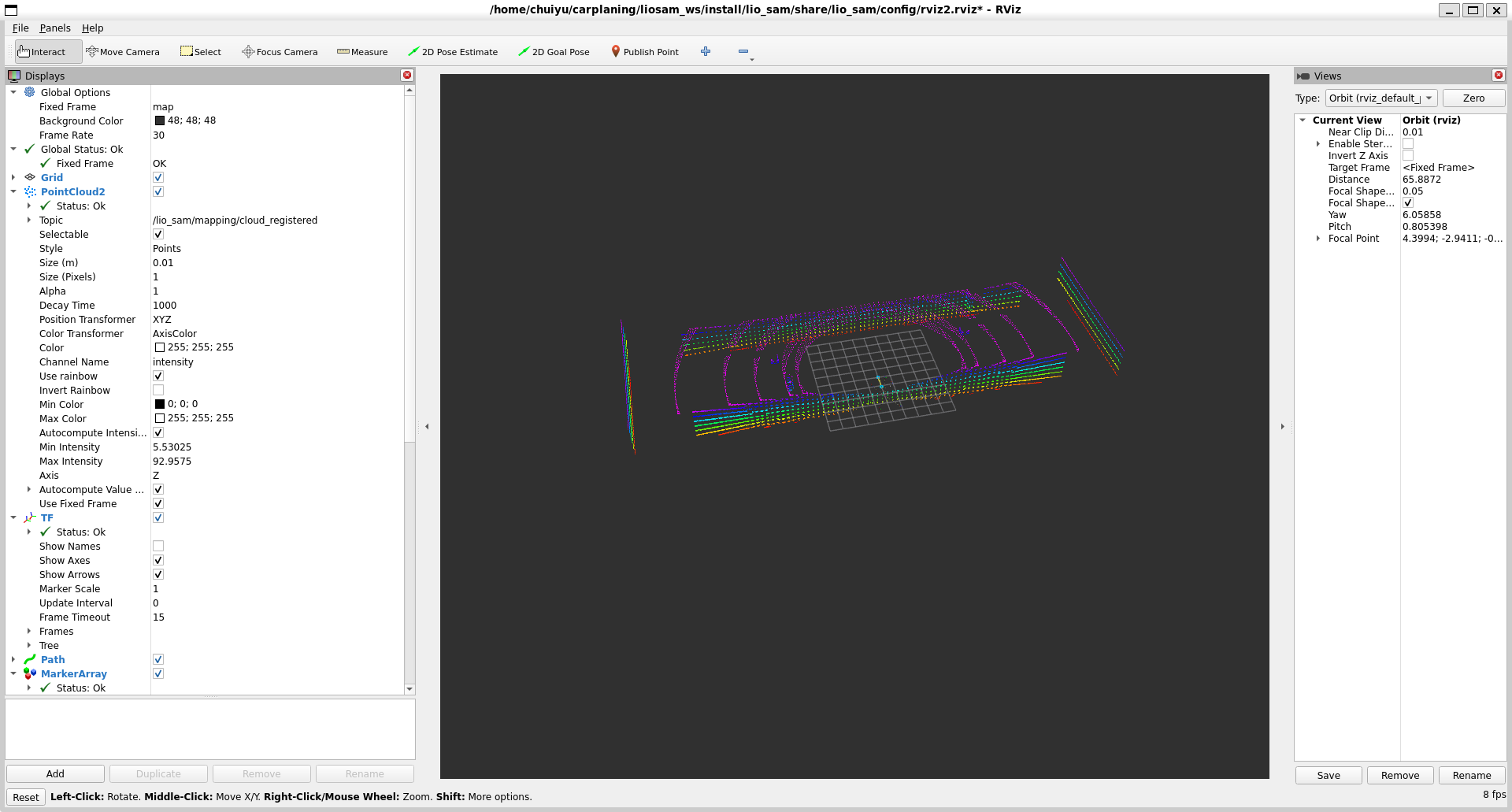
预期效果如下图: